


Latest Version
6.4.1
May 19, 2025
Elliot Condon
WP Plugins
WordPress
5.60MB
2
Paid
advanced-custom-fields
Report a Problem
More About Advanced Custom Fields
If you're looking to customize your WordPress site beyond the default settings, Advanced Custom Fields (ACF) is one of the best plugins you can use. ACF allows you to add custom data fields to posts, pages, users, and even WooCommerce products, providing unmatched flexibility in content management.
Whether you’re a developer, designer, or website owner, ACF helps you organize and display data more effectively, improving both functionality and SEO. In this blog post, we’ll explore everything you need to know about Advanced Custom Fields, including its benefits, features, and how it can supercharge your website.
What is Advanced Custom Fields (ACF)?
Advanced Custom Fields (ACF) is a WordPress plugin designed to simplify content creation by adding custom fields to posts, pages, and other elements of your site. Instead of relying solely on WordPress's default post editor, ACF allows you to insert tailored data into structured fields—making it perfect for custom content layouts, databases, and dynamic designs.
Whether you need event details, product specifications, testimonials, or team member profiles, ACF makes it easy to store and display structured content dynamically.
Key Features of ACF
1. Custom Field Types
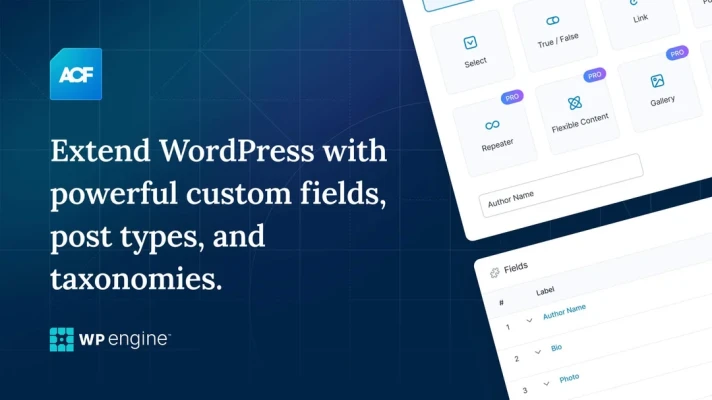
ACF provides multiple field types beyond the standard WordPress editor:
- Text and text area fields
- Image and file upload fields
- Date picker and time fields
- Relationship fields (for linking content)
- Repeater fields (for dynamic lists)
2. Easy Integration with Themes
ACF allows seamless integration with any theme, enabling developers to embed structured content using simple PHP functions.
3. Flexible Layouts with ACF Blocks
With ACF Blocks, users can create custom Gutenberg blocks for improved design consistency and flexibility.
4. Conditional Logic for Fields
ACF provides conditional logic, meaning certain fields appear only when specific conditions are met. This enhances form usability.
5. REST API Compatibility
ACF works well with the WordPress REST API, making it an excellent choice for headless WordPress and dynamic web applications.
6. ACF Pro Features
ACF Pro includes advanced functionalities such as:
- Repeater Fields (for dynamic content lists)
- Flexible Content Layouts (for custom templates)
- Options Pages (for global site settings)
Why Use ACF for SEO?
ACF isn’t just great for content management—it’s also a powerful SEO tool when used correctly. Here’s how it helps boost rankings:
1. Improved Content Structure
Search engines favor websites with organized content. ACF enables structured data layouts that improve readability and indexing.
2. Dynamic Content for Rich Snippets
With custom fields, you can create rich snippets that appear in search results, improving CTR (Click-Through Rates).
3. Faster Loading Times
ACF stores data efficiently, preventing the need for bulky page builders, resulting in faster load times and better SEO performance.
4. Enhanced Metadata Management
ACF allows better control over metadata like product specifications, team bios, and services—making your pages more informative for search engines.
How to Use ACF in WordPress?
Using ACF is straightforward. Follow these steps to integrate ACF into your WordPress site:
Step 1: Install & Activate ACF
- Go to WordPress Dashboard > Plugins > Add New
- Search for Advanced Custom Fields
- Click Install and Activate
Step 2: Create a Custom Field Group
- Go to Custom Fields > Add New
- Name the field group (e.g., “Event Details”)
- Add specific fields such as “Event Date,” “Location,” and “Speaker”
Step 3: Assign Custom Fields to Post Types
- Under “Location,” set the rule (e.g., Post Type = Events)
- Save and Publish the field group
Step 4: Display ACF Data in WordPress Theme
To show custom field data in a WordPress theme, use PHP functions like:
This ensures your structured data appears dynamically within posts or templates.
Best Use Cases for ACF
1. E-Commerce Product Details
Enhance WooCommerce pages with custom product specifications, reviews, and features.
2. Portfolio & Testimonials
Display structured project details and client testimonials dynamically.
3. Real Estate Listings
Custom fields make property details, pricing, and features easier to manage.
4. Events & Schedules
Use ACF for event dates, speaker profiles, and locations.
5. Membership Sites
Create custom user profiles and dashboard elements.
Final Thoughts
Advanced Custom Fields (ACF) is a must-have plugin for WordPress users who want dynamic content control, better SEO, and enhanced user experience. Whether you're a beginner or an advanced developer, ACF simplifies complex data management, making your website more organized, interactive, and search-engine friendly.
Recommended Action
Start using ACF today! Whether you’re building a customized blog, eCommerce store, or membership site, this plugin will transform how you structure your content.
What’s the first custom field you’ll add to your website? Let’s discuss in the comments! 🚀
Rate the App
User Reviews
Other Apps in This Category


Popular Apps










Editor's Choice





 Social Media