



Latest Version
1.100.0
May 18, 2025
Microsoft
Tools
103MB
103
Free
Microsoft
Report a Problem
More About Visual Studio Code
In the ever-evolving world of software development, having a powerful, efficient, and lightweight code editor can make all the difference. Visual Studio Code (VS Code), developed by Microsoft, has quickly become the go-to editor for developers worldwide. Whether you're working on web development, data science, or software engineering, VS Code provides a customizable, fast, and feature-rich environment to enhance your productivity.
Why Choose Visual Studio Code?
1. Lightweight Yet Powerful
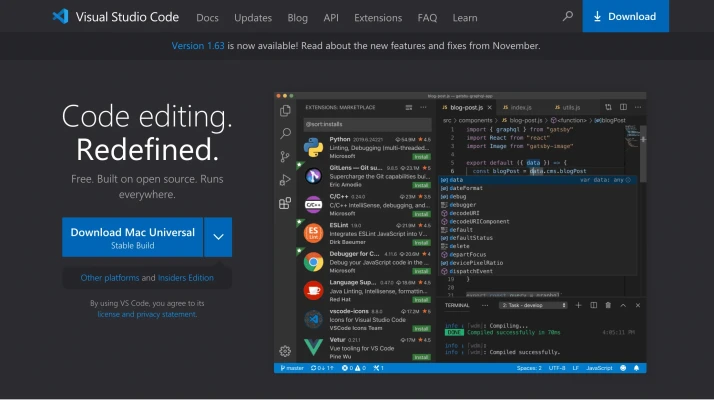
One of VS Code's biggest advantages is its lightweight design—it loads quickly and runs efficiently even on low-resource machines. Despite its small footprint, it delivers powerful functionalities such as intelliSense, debugging, Git integration, and extensions.
2. Cross-Platform Compatibility
Visual Studio Code is available on Windows, macOS, and Linux, ensuring seamless coding across different environments. Whether you're developing web apps, mobile applications, or AI models, you can use VS Code without worrying about platform restrictions.
3. Built-in Git Integration
Developers rely on version control to track changes, collaborate with teams, and deploy projects efficiently. VS Code offers built-in Git support, allowing you to commit, push, pull, and merge changes directly from the editor—eliminating the need for additional Git software.
4. Intelligent Code Assistance
With its intelliSense feature, VS Code provides syntax highlighting, auto-completion, and code suggestions, significantly improving coding efficiency. Whether you're writing JavaScript, Python, C++, or Go, VS Code enhances your coding experience by predicting and suggesting accurate code snippets.
5. Extensive Marketplace for Extensions
VS Code’s extension marketplace is one of its greatest strengths, offering plugins for various programming languages, debugging tools, AI assistance, and themes. Developers can install extensions such as:
- Prettier (code formatter)
- Live Server (instant preview for web development)
- Python extension (powerful debugging and intelliSense for Python)
- ESLint (JavaScript linting tool)
6. Built-in Debugging Tools
Debugging is an essential part of development, and VS Code makes the process seamless with built-in debugging support. You can set breakpoints, step through code, inspect variables, and resolve errors efficiently—without needing external debugging tools.
7. Customizable and Theme-Friendly
VS Code is fully customizable, allowing developers to tweak settings, install themes, and configure their workspace according to their preferences. Whether you prefer a dark mode interface or a minimalistic workspace, VS Code offers numerous customization options to enhance your productivity.
How Visual Studio Code Enhances Developer Productivity
Fast Setup & Easy Configuration
Unlike bulky IDEs, VS Code offers a quick installation process, allowing developers to set up their coding environment in minutes. The simplified UI and command palette enable smooth navigation and efficient project management.
Seamless Integration with Dev Tools
VS Code integrates seamlessly with popular tools such as Docker, Kubernetes, Jupyter Notebooks, and cloud services—making it ideal for full-stack development and DevOps workflows.
Remote Development Capabilities
With the Remote Development extension, developers can connect to containers, virtual machines, and cloud environments directly from VS Code. This feature is essential for working with cloud-based applications and remote teams.
Efficient Collaboration with Live Share
Live Share allows developers to collaborate on code in real-time, enabling pair programming and instant feedback. This is especially useful for remote teams and hackathons, where quick collaboration is needed.
Conclusion
Visual Studio Code has revolutionized modern software development, providing a fast, intelligent, and extensible coding environment for beginners and professionals alike. With its cross-platform support, integrated tools, customization options, and strong community backing, VS Code remains the ultimate editor for developers worldwide.
Whether you’re a web developer, data scientist, or AI engineer, adopting Visual Studio Code can boost your efficiency and streamline your workflow.
📌 Ready to optimize your development experience? Download VS Code today and take your coding to the next level!
Rate the App
User Reviews


Popular Apps










Editor's Choice





 Social Media